How to Learn a New Language (and Make It Production-Ready)
Over the past three weeks I have been using Elixir flat-out, building two systems: the policy engine I mentioned in my previous post, and a general-purpose activity stream / notification system. The first took me a week of single-minded, exhausting work — 1,600 lines of code, production ready. The second took two weeks and 1,500 lines; it is a proof of concept (PoC) with plenty of room for further optimization.
Although this post uses Elixir as its example, most of these practices are universal and independent of any particular language.
The Goal
Bringing a new language into an existing system is no easy thing; the challenges outnumber what you would expect. At TubiTV, a big part of the reason we brought in Elixir was to give ourselves more options — to see whether a new language could do what our existing languages could not, or could only achieve with a great deal of struggle. In my previous post, the new Policy Engine demonstrated that a particular approach simply could not be realized in JavaScript / Node.js. The next step, then, was to write production-ready code. That is our goal, and it is also the single biggest challenge most projects face when adopting a new language. Many teams bring in a new language but never get it to production quality, and the project ultimately fails — a lamentable outcome.
What does production ready mean? I judge it on these dimensions:
- The code has complete linting / testing
- The project is integrated with the existing CI pipeline
- There is a clear versioning strategy
- It interoperates seamlessly with existing systems
- There are complete deployment scripts
- It is integrated with existing logging and error-reporting systems
- It is integrated with existing monitoring systems
Let us take these one by one.
Linting / Testing
A project without lint / test cannot be called a high-quality project, and equally it is not production ready. Once the code leaves the PoC stage, one of the most important next steps is to pick the right lint / test framework and integrate it into the project. For an Elixir project the choice is easy — Elixir is a compiled language, so there is no real linting, more static analysis, and I chose credo. And Elixir ships with an excellent test framework, so there is nothing to choose.
If the PoC was developed TDD-style (someday I will write about the right way to do TDD), then by this point you have already accumulated a set of test cases sufficient to verify that the functionality meets its requirements — excellent. If not, now is the time to write test cases in a hurry, while the codebase is still small.
Lint / static analysis tools exist to ensure the code meets a certain quality bar, has a baseline level of readability, and lets other people on the team get up to speed on each other’s code quickly. Such tools generally need these rules configured:
- The code conforms to a particular style guide (e.g. the airbnb ES6 JavaScript guide)
- The complexity of the code is kept reasonably low (complexity is a composite measure of branches, loops, variables, line count, and so on)
- The public interfaces are properly documented
For Elixir’s credo, the default configuration is already quite good.
Once lint / test is settled, be sure to add it to the pre-commit hook. I usually put a .pre-commit file at the project root and provide a makefile target that soft-links it to .git/hooks/pre-commit. That way anyone who clones the project can set up the hook easily (with Node.js you can even do it in post install, so npm install adds the hook automatically).
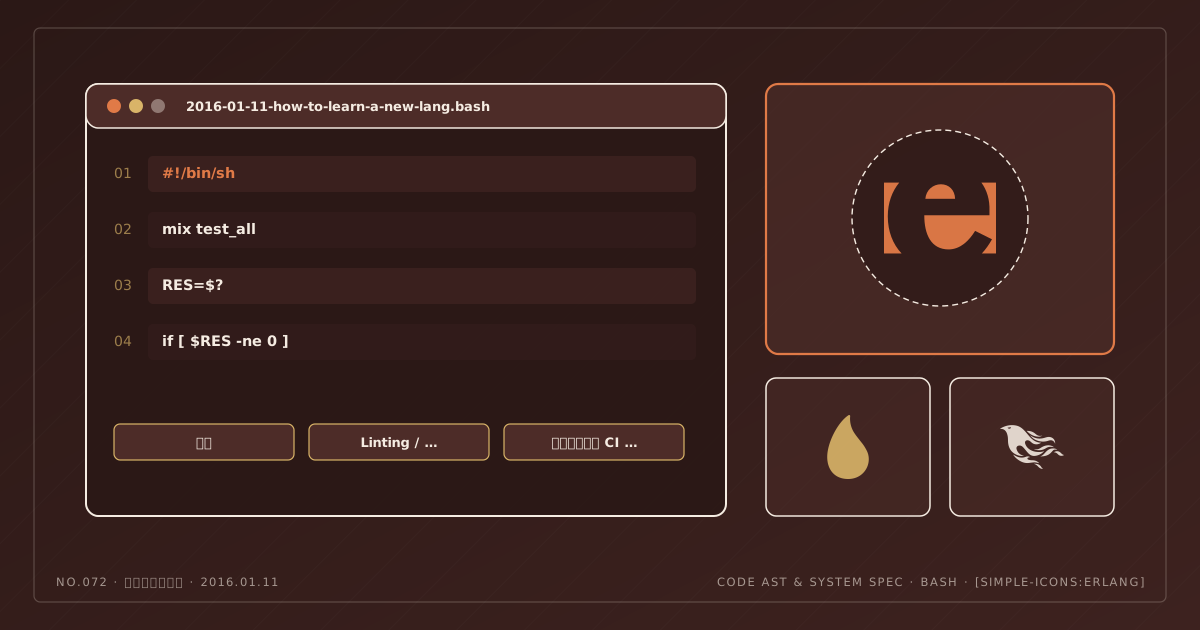
The .pre-commit file usually looks like this:
#!/bin/sh

mix test_all
RES=$?
if [ $RES -ne 0  ]
then
  exit $RES
fi
Inside, mix test_all is a CLI task in Elixir that runs lint (mix credo), test (mix test), and a release build (mix release), ensuring that newly written code passes all the constraints before it can be committed.
Integrating the Project with the Existing CI Pipeline
The pre-commit hook ensures that local code meets the constraints, but it has two drawbacks:
- The local environment may not match the target environment; tests that pass locally may not pass in the target environment or in a clean environment
- The owner of the code can bypass all restrictions with
git commit -n
So a production-ready project must have a CI pipeline that guarantees every commit (or every pull request) is valid code.
Our main CI tool is Travis. Integrating Travis with a new project is very simple — just generate a .travis.yml at the project root and configure it properly. For Elixir it is not hard; here is the core configuration:
language: elixir
elixir:
  - 1.4.0
otp_release:
  - 19.1
branches:
  only:
    - master
install:
  - mix local.hex --force
  - mix local.rebar --force
  - mix deps.get
services:
  - mongodb
  - postgresql
script:
  - mix test_all
env:
  - MIX_ENV=test
before_script:
  - make test-prepare
A Clear Versioning Strategy
One big difference between Elixir and Node.js is that at the tooling level Elixir lets you break a large project into several applications. In Elixir each application has its own version. If an application will later become a standalone dependency, having an independent version is very helpful — but if these applications are tightly coupled to the project, or you do not want one version per application, you need some technique to unify them. That way we can bump the version in one place, just like a Node.js project.
My approach is to put a version file at the project root and read the version from it everywhere. Reading it in code is trivial, needless to say:
File.cwd!() |> Path.join("version") |> File.read! |> String.trimIn the makefile you can get it via VERSION=$(strip $(shell cat version)). Why read the version in the makefile? Because then we can generate tags from it with ease:
RELEASE_VERSION=v$(VERSION)
GIT_VERSION=$(strip $(shell git rev-parse --short HEAD))

...

version-bump:
  @git tag -a $(RELEASE_VERSION) -m "bump to $(RELEASE_VERSION) on $(GIT_VERSION)"
  @git push origin $(RELEASE_VERSION)
Again, keeping the version as a single source of truth is extremely important: it saves you from editing configuration all over the project every time you bump a version, and it guarantees that the version in the generated git tag matches the current version.
Seamless Integration with Existing Systems
Elixir cannot interact with JavaScript directly. We can only communicate over agreed-upon network protocols. These days the obvious choice is HTTP (HTTP/2), so REST API, GraphQL, and gRPC are all good options. Elixir does not yet support HTTP/2 (mainly because cowboy 2.0 is still pre-release), so REST API / GraphQL are the preferred choices for interoperability. Generally, once your project’s functionality is complete, you wrap the basic features as a REST API for other projects to call.
Because the REST API is a thin layer, I used plug rather than the all-encompassing phoenix. On the Node.js side, I just need to call this API with an HTTP client (such as node-fetch) in the appropriate places.
Complete Deployment Scripts
At TubiTV we use Ansible to deploy. Adding Elixir support to existing Ansible scripts is not hard. There are open-source Ansible Galaxy roles for Elixir you can adopt off the shelf; if you are fastidious about your code or cannot simply adopt them, writing your own is not hard either.
Since this was my first time putting Elixir into production, generating hot-reloadable upgrade releases was a challenge. In my current project I already provide module-level hot reload, and project-level hot reload is not that urgent, so I have not given this area proper thought. My approach is to compile and build the release directly on the target host, then restart the service with systemd. The reason I compile on the target host rather than using artifacts produced by CI is that, because of the project’s particular nature, I need access to the production database at compile time — and handing production DB credentials to Travis is not safe.
In the Ansible scripts I generate a systemd configuration file for my service. That way, the interface for restarting the service is uniform.
Integrating with Existing Logging and Error-Reporting Systems
If everything above is about how to get a new project running in production, what follows is about how to keep it running there. A system in a running state should ideally alert on serious problems and provide enough detail for engineers to debug. Error logs are one way; monitoring systems are another.
For logging, if you use file-based logs, you can ship the log files into Elasticsearch with Logstash or Filebeat for aggregation — the simplest and most common solution. Under that scheme, integrating a new project with the existing logging system is not very difficult; you just need to pick a suitable file backend for Logger.
An error-reporting system is usually Sentry. In our case, Sentry has an official Elixir client: register a new app, write the DSN into the config file, and you have integrated with the error-reporting system. Simple.
Integrating with Existing Monitoring Systems
Existing third-party monitoring systems — whether New Relic or Datadog — support collectd / statd directly. So integrating with the existing monitoring system reduces to this: when provisioning servers, ensure collectd / statd and the monitoring agent are installed and correctly configured; then, at runtime, write the metrics you care about into collectd / statd.
Odds and Ends
Sometimes a new language has its own unique tools for monitoring, tracing, debugging, and so on. For Elixir, the observer that ships with the Erlang VM is a fantastic tool for understanding the state of a running system; the shell can also be used for introspection of a live system. However, using these tools remotely requires some extra configuration.
For observer, you need to add the runtime_tools application to mix.exs so that the observer backend runs. To connect remotely from your machine to a production node, you need to know the port it registered under epmd. I usually handle this with SSH port forwarding:
PORT_PROD=$(shell ssh prod-cms-service "epmd -names" | grep cms_service | sed 's/[^0-9]//g')

ssh-tunnel-prod:
  @ssh -L 4369:localhost:4369 -L $(PORT_PROD):localhost:$(PORT_PROD) prod-cms-service

observer:
  @iex --name observer@127.0.0.1 --cookie '$(COOKIE)' --hidden -e ":observer.start"

remsh:
  @iex --name observer@127.0.0.1 --cookie '$(COOKIE)' --remsh cms_service@127.0.0.1
A quick explanation of how this works. epmd -names lists the ports of the services registered with epmd on the local machine. To find the port of the service currently running in production, we need to SSH in and run this command. We grep the returned output and then extract the digits with sed — that is the port number.
There are some security implications here. The port a service registers with epmd is dynamic, unlike epmd’s own port 4369, which is fixed (or configurable), so you cannot open that port on the firewall individually. We therefore need to keep a range of ports open, but restrict the source IPs that may reach them. Do that and there is no real problem. The source IP can be your office IP, or the IP of some server you can VPN into; when you need observer or a remote shell, just VPN to that address and everything works.
If other languages have similar tools or remote-access interfaces, the same approach applies.