Time to Meet jj: Git's Next Evolutionary Step
There is no building without breaking, no flowing without damming, no moving without stopping. — Han Yu, “On the Origin of the Way”
Author’s note: Last weekend I built a Jujutsu (jj for short) storage backend on Lambda + S3, so that I can clone/pull/push jj projects across my devices without depending on git at all.
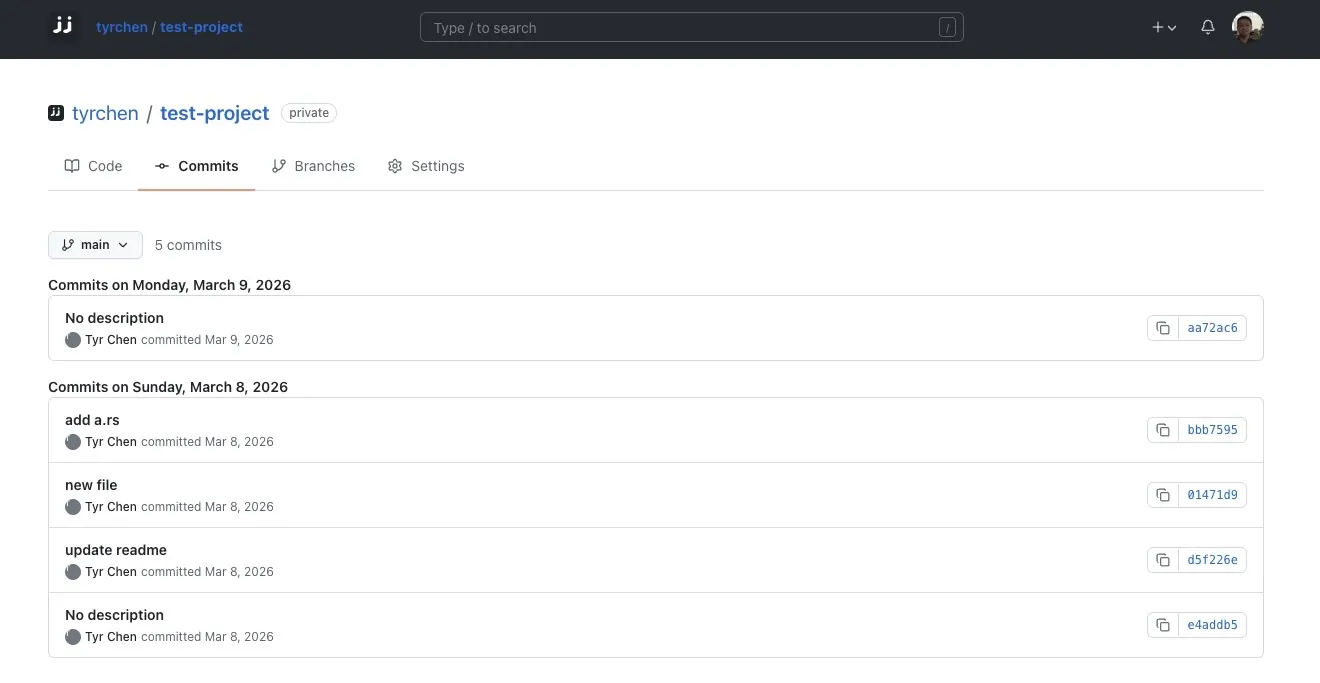
At first I was just curious: what gives a version control system written in Rust by one Google engineer the right to challenge Git? Two days later, my feeling is this: it isn’t challenging Git — it’s performing evolutionary surgery on it. And that surgery matters enormously for the age of AI-assisted programming.
Git’s Twenty Years: Great, But Showing Its Age
When Linus Torvalds wrote Git in 2005, the problem it had to solve was crisp: the Linux kernel needed a decentralized, high-performance version control system. Git fulfilled that mission beautifully — snapshot storage, lightweight branching, SHA-addressed objects — and beat the centralized generation of Subversion into complete submission.
Twenty years on, Git is the bedrock infrastructure of software engineering. But we should also admit: Git’s mental model is too heavy for today’s developers.
Working directory, staging area, commit history — you shuttle back and forth between three states. Forget git add and your commit is incomplete; try to switch branches and you’re told the working tree is “dirty,” forcing a git stash; fumble one step in an interactive rebase and your code cannot be recovered. Anyone who has used Git knows these pains.
More critically, two major trends are shaking Git’s design foundations:
First, ultra-large monorepos have become the norm. Google, Meta, Microsoft — the top-tier giants are all cramming tens of millions of lines of code into single repositories. Git’s full clone and file-based state tracking essentially collapse when they meet terabyte-scale codebases.
Second, AI agents have started writing code in parallel. Three or five AI proxies reading and writing the same repository at high speed — Git’s fragile locking plus its “block everything on conflict” design simply cannot hold up.
Jujutsu — jj — emerges against precisely this backdrop.
What jj Is: Not a New Shell, a New Engine
Let’s clear up a common misconception first: jj is not yet another command-line beautifier for Git, not Magit, not Gitless. It rewrites everything from the underlying data model to concurrency control to the storage engine. Written in Rust, fully Git-compatible.
Put plainly: your existing .git directory, your GitHub repos, your CI/CD pipelines — none of them need to change. jj runs directly on top of your Git repository, produces commit objects in fully standard Git format, and any Git client can read them.
Founder Martin von Zweigbergk is a senior engineer at Google who started it as a personal project in late 2019; it later grew into an open-source project Google invests in full-time. Early this year Google held the first JJ Con developer conference — jj is long past being an experiment and is now the core engine of Google’s next-generation internal code collaboration toolchain.
So what exactly did it change?
Four Core Redesigns: Curing the Disease at the Root
Abolishing the Staging Area: Your Working Copy Is a Commit
Git’s staging area is the nightmare of countless beginners and the daily friction of veterans. git add, git commit, sometimes git stash — three steps for something that ought to be one.
jj’s approach is radical: it simply kills the staging area outright.
In jj’s world, your working copy is itself a real commit. You edit a file in your editor and save it; jj automatically records the change as a commit snapshot. No add, no stash, and no “working tree is dirty” error, because that error cannot exist.
Want to jump to another point in history? Just jump. jj creates a new working-copy commit at the target revision, and not a single character of your work is lost.
It sounds like a small improvement; in fact it is a blow from a higher dimension against the old mental model. You no longer have to maintain that three-tier state machine of “modified, staged, committed” in your head — only one state remains: the current commit. Every operation you could perform on historical commits (edit, merge, rebase) you can perform directly on the code you are writing right now.
Dual Identity: Change IDs Decoupled from Commit IDs
Git identifies every commit by a SHA hash. The problem: amend or rebase a commit and the hash changes. When reviewing code, if you want to track a patch that went through five rounds of revision, you have to eyeball-link the before-and-after hashes — which is essentially impossible in a large project.
jj gives every commit two identifiers:
- Commit ID: a hexadecimal hash, same as Git, changing whenever the content changes.
- Change ID: a pure alphabetic sequence (e.g.
kntqzsqt) that never changes.
No matter how you alter the commit’s content, how you rebase, how you squash, the Change ID stays anchored to the same logical unit of work. Code review tools can use it to automatically track a feature’s entire lifecycle from creation to merge, never again thrown off by shifting hashes.
This design is strikingly similar to Gerrit’s Change ID, but jj supports it natively at the data-model level — no commit-msg hook to install.
Conflicts Are No Longer Emergencies — Just Another Legal Data State
This is, I think, jj’s most brilliant design.
In Git, a merge conflict is a small-scale disaster. When git rebase hits a conflict, the entire repository enters a blocking “merging” state: you can’t switch branches, you can’t do anything else, you must resolve those <<<<<<< markers on the spot. A five-layer chained rebase where every layer conflicts? That particular exquisite agony — you know if you know.
jj’s attitude is: so there’s a conflict. The sky hasn’t fallen.
When a rebase or merge produces conflicts, jj doesn’t hang, doesn’t block — it completes the operation smoothly and records the conflict state in the commit’s internal metadata. A conflicted commit is no different from a normal one: you can switch to another task and keep working, you can rebase it again, you can even push it to the remote and have a teammate help resolve it.
Under the hood, jj uses an algebraic representation of conflicts. A normal commit points to a tree object; a conflicted commit points to an ordered list of tree objects, expressing the merge state with algebraic formulas like A + (C - B). When a conflicted commit is rebased again, the system automatically performs algebraic simplification — positive and negative terms cancel, nesting flattens — guaranteeing the conflict expression is always in its simplest form.
This is no patch job. The status of “conflict” within version control has been completely rewritten: from “an emergency that must be handled immediately” to “ordinary data you can deal with at your leisure.”
The Operation Log: A Real Ctrl+Z
Git has reflog, but it only records the movement of branch references — limited coverage, and its syntax is maddeningly opaque.
jj has a complete, global operation log. Every operation you perform in the repository — commit, fetch, push, rebase, conflict resolution — is recorded verbatim.
Want to undo that rebase across hundreds of commits you just ran? jj undo, as simple as pressing Ctrl+Z.
Want to return to the repository’s state from three days ago? jj op restore, and the whole repository travels back in an instant.
With this safety net underneath, you no longer fear any operation. Rewrite history boldly, experiment boldly — botch it, and one command brings you back.
The Daily Workflow: Less Typing, More Doing
Having covered the underlying philosophy, let’s talk about day-to-day feel.
Nameless branches. Git forces you to name every branch, so projects fill up with garbage names like fix-bug, test2, tmp-experiment. jj uses anonymous branches by default; a “bookmark” is just an optional lightweight pointer. Starting a new task? jj new, done.
Stacked development, and the experience is electric. Suppose you’ve submitted five interdependent patches and the reviewer asks for a change to the bottom-most one. In Git that’s an interactive-rebase nightmare. In jj: jj edit <bottom change ID>, change the code, save. That’s it. jj’s automatic rebase engine instantly propagates the change up to every child commit. Conflicts? No blocking — deal with them later.
Precision surgery on history. Want to split one big commit into two? jj split, choose interactively. Want to move a chunk of code from commit A to commit B? jj move -i --from A --to B. Want to split a commit deep in history? jj split -r <revision> — descendants rebase automatically. In Git these operations are either extremely tedious or simply impossible.
Colocated coexistence. This is jj’s smartest adoption strategy. Maintain .jj and .git side by side in the same directory, and you can switch between the jj and git commands at any moment. IDE Git plugins, CI/CD pipelines, GitHub Actions — everything keeps running as usual. You can use jj alone and your teammates never notice a thing. Zero migration cost.
Version Control in the AI Era: Why jj Arrives Right on Time
This is the part I most want to expand on.
In an essay earlier this year I said that in the future every engineer will be a manager — managing not people, but a swarm of AI agents. Now imagine three or five agents working simultaneously in one repository: one writing business logic, one writing tests, one refactoring, one generating documentation. What does traditional Git do?
Deadlock. Git’s file locking meets concurrent writes and either blocks or corrupts.
Blocking. Two agents’ changes conflict; Git immediately suspends itself and waits for someone to come resolve it. But agents don’t stop to resolve conflicts — quite often they hang and require human intervention.
So for now our best compromise is the clumsy git worktree. It solves the local deadlock problem, but conflicts at merge time still force you to stop and resolve them.
jj’s lock-free concurrency model plus first-class conflicts cures exactly these two diseases.
Its operation log is itself a DAG (directed acyclic graph). Every operation produces an immutable operation object, associated with a “view object” that records a complete snapshot of the repository’s state at that instant. Concurrent operations need no locking; each writes its own operation node independently. Divergence appears? It’s merged automatically the next time a command starts up — clean and swift.
That is to say: multiple AI agents can work in parallel on the same repository, lock-free and interference-free. Even if they touch the same file, the conflict is simply recorded silently and never blocks any agent’s execution flow.
More interestingly, jj’s operation log is inherently a “causal memory bank” for AI agents. Every operation, every conflict, every rebase has a complete causal chain. Agents can learn from it: which sequences of changes led to build failures, which paths led into dead ends. Stuck? jj undo takes you back to a safe point in an instant, and you take another road.
Git’s design premise is that the participants are humans who can stop and think when they hit a conflict. The AI era needs the system itself to absorb concurrency and conflicts, letting participants work at their own pace — whether human or machine. jj happens to be designed exactly along those lines.
Who Uses It: Not a Toy, a Production Tool
To judge a tool, looking at who uses it is far more reliable than reading a feature list.
Google. jj is wholesale replacing Google’s legacy internal code collaboration tools. Google maintains the largest monorepo on Earth, and its engineers collaborate day to day via Piper and CitC (a cloud virtual filesystem). jj has already integrated successfully with this stack — rewriting the WorkingCopy API to talk to CitC, exposing only a wafer-thin composition layer locally. According to the roadmap, jj will hit GA on Linux in Q1 this year, formally replacing the aging Fig (Mercurial) front end.
Mozilla Firefox. Firefox’s .git directory is 5.5GB with tens of thousands of branches. Multiple core engineers already use jj heavily in daily development. Its rebase engine has not collapsed under that code behemoth — in fact it runs faster thanks to the “conflicts don’t block” design. Mozilla’s official source contribution guide already has a dedicated jj chapter.
The Gerrit ecosystem. Gerrit is the code review system behind Android AOSP and Chromium. jj’s Change IDs map naturally onto Gerrit’s Change ID, eliminating the novice-torturing commit-msg hook. Gerrit’s official design documents already explicitly call for full support of jj as a native client.
This is not a niche geek’s toy. Something Google and Mozilla both use is a serious engineering option.
In All Honesty: Today’s Weak Spots
In fairness, let’s cover jj’s current shortcomings.
Some commands are still catching up on performance. jj file annotate, for instance, still trails git blame on query speed in very large repositories. Fortunately, in colocated mode you can always fall back to git blame to fill the gap.
The ecosystem is still under construction. GUI tools and deep IDE integration are still early; the primary workflow today is the command line (though whether we’ll need IDEs at all is another question — agents write the code now, after all).
There is a learning cost. Although jj’s mental model is simpler than Git’s, switching over means “unlearning” some muscle memory. You have to accept seemingly counterintuitive premises like “there is no staging area” and “you don’t name branches.”
These are the normal conditions of a young project. The core engine has already passed validation at Google and Mozilla scale; what remains is filling in the ecosystem, and that is only a matter of time.
How to Start: A Zero-Risk Trial
If you want to try jj, the safest path is colocated mode:
# Install
brew install jj  # macOS
cargo install --locked jj-cli  # or via cargo

# Initialize jj inside an existing Git repo (does not touch .git)
cd your-project
jj git init --colocate

# Check status
jj log

# Start a new task
jj new

# Edit code and just save — no add required
# ...

# Write the commit message
jj describe -m "implemented some feature"

# Push to remote
jj git push
The .git directory remains untouched, and what your teammates see is still standard Git commits. You can switch back to a pure Git workflow at any time, with no lock-in whatsoever.
My advice: pick a not-too-critical project and use it for a week, to feel those two core ideas — “the working copy is a commit” and “conflicts don’t block.” Once your muscle memory adapts, going back is very hard.
Conclusion: The Sharpness of the Tool, the Shift of the Way
Twenty years ago, Git replaced Subversion — not because Subversion was unusable, but because the era of distributed collaboration demanded a new set of foundational assumptions.
Today, jj is not out to replace Git tomorrow. It stands on Git’s shoulders and, in a fully compatible way, offers a more sensible set of foundational assumptions for parallel AI programming, ultra-large repositories, and fearless history rewriting.
The evolution of tools is, at heart, the evolution of how we work. As we move from “one person writing code” to “one person directing a swarm of agents writing code,” the concurrency model, conflict-handling strategy, and fault-tolerance mechanisms of version control all have to change with us. jj happens to sit right on this inflection point, and it gives a beautiful answer.
I often say the criterion for whether something is worth your time to learn is simple: does it change the way you do things? I believe jj is one of the most worthwhile developer tools to learn in the next two or three years. It will change how you think about version control, change your habits when developing alongside agents — and its underlying technology may even change how you think about data storage in your own projects.