Hololens: The Long Road Ahead

Last Saturday, I finally—finally—got my Hololens!
By the time I got back from the library after a long day, my Hololens was already sitting there quietly.
I couldn’t wait to unbox it and experience the most expensive toy I’d ever bought in my life—nearly $3,300 with tax. The unboxing wasn’t all that stunning; it lacked the soul-touching delight of opening an iPhone for the first time. Maybe I’d already watched too many Hololens unboxing videos out of impatience, so as I peeled off each layer, I couldn’t bring myself to admire the perfectly ordinary box and perfectly ordinary sleeve; I just picked up the headset and started playing with it.
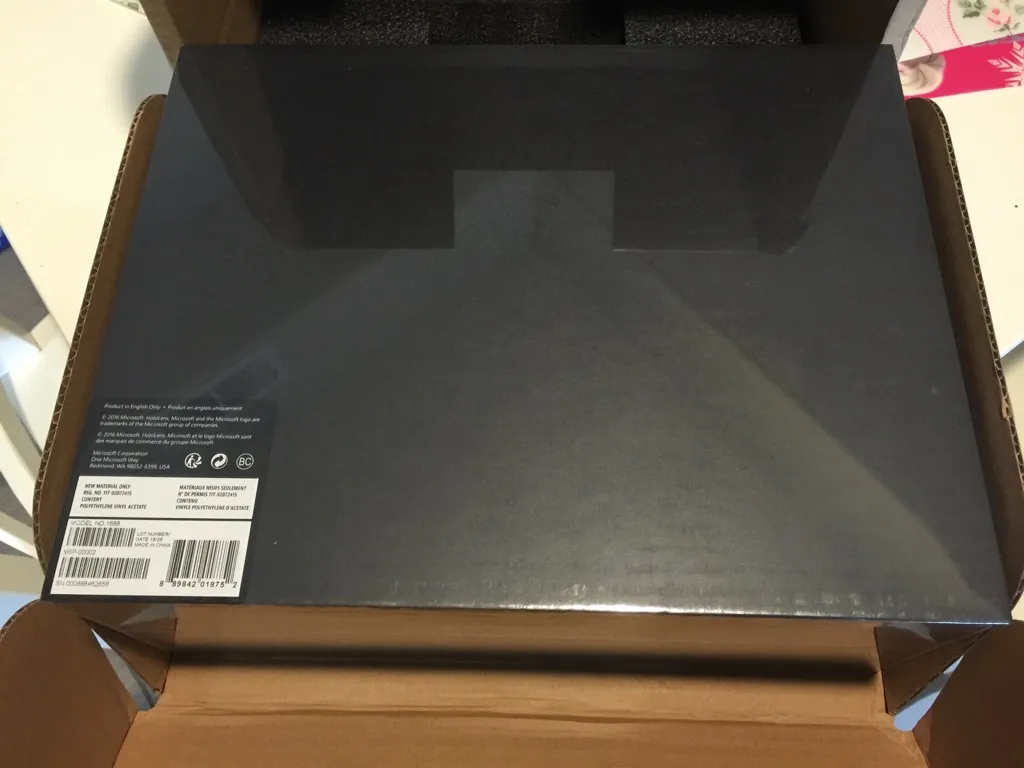
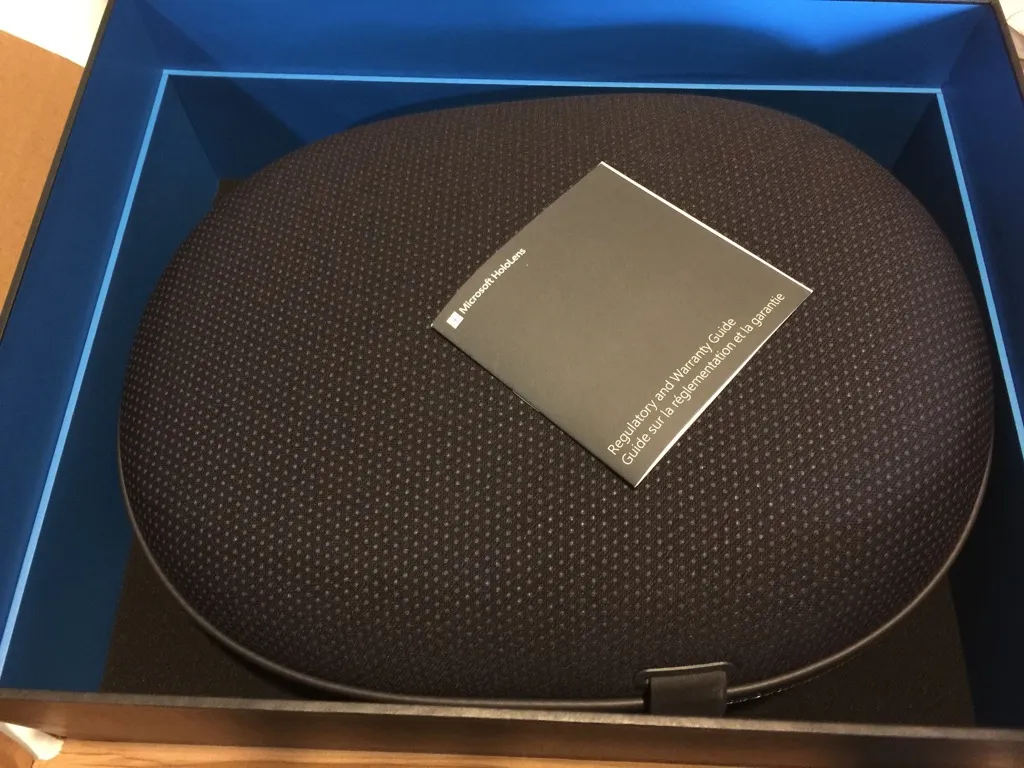
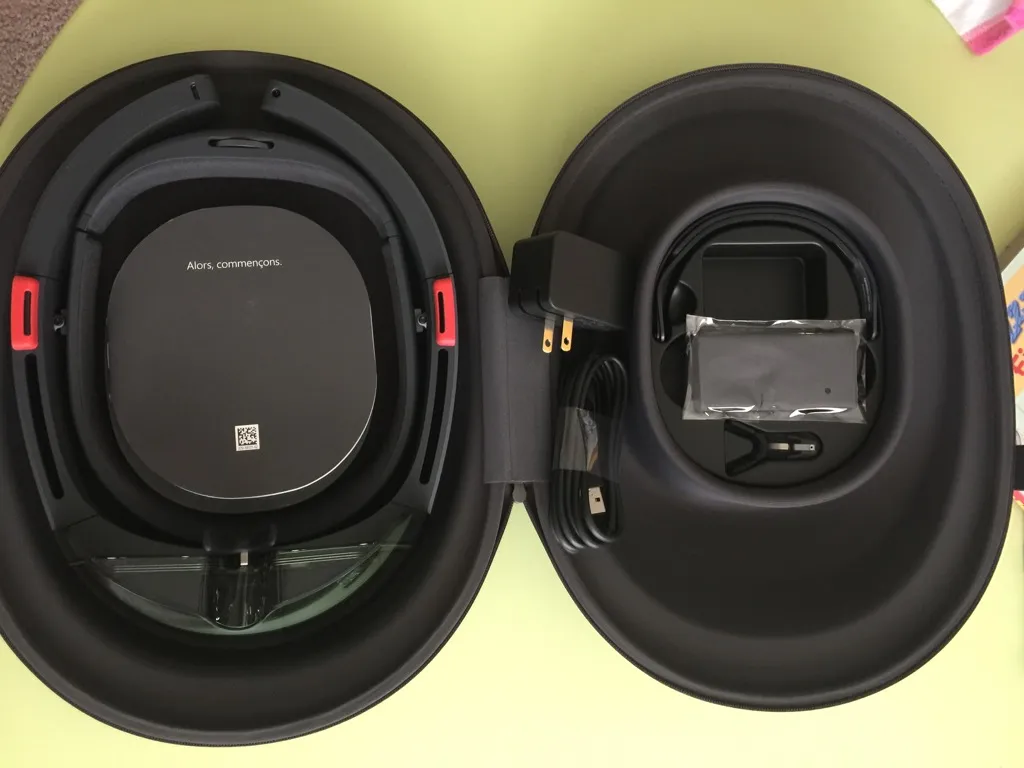
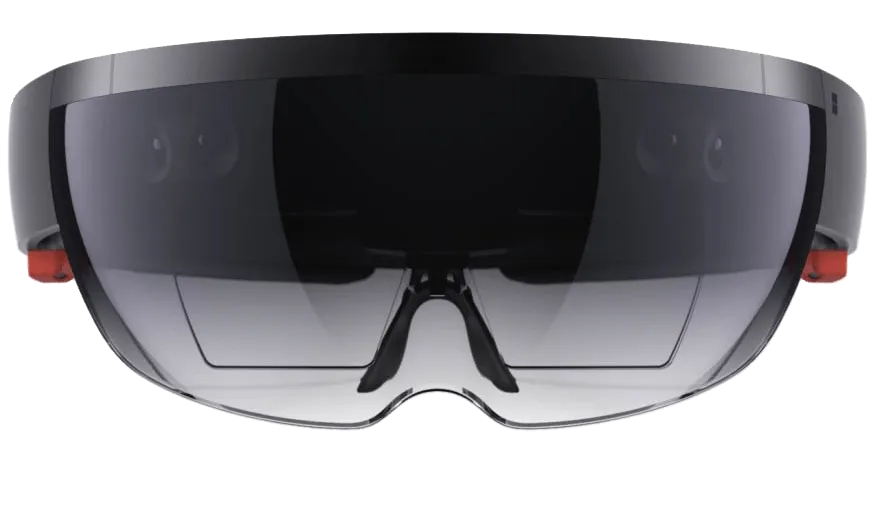
Hololens isn’t exactly light, and once it’s on your head it feels like pressure. It has a natural bias against those of us who wear glasses; I adjusted it many times before my eyes could barely adapt to the newcomer. The device still had 40–50% battery, so after holding the power button for three seconds, the system came back from standby. On first use, the Hololens interface (voice + video) teaches you two basic actions: move your gaze left and right to lock onto your current focus (a small red dot appears at the focus point), then make a fist, extend your index finger straight in front of you, and bend it 90 degrees—that’s a click. Together these two basic actions let you perform complex input. Imagine using an iPhone: sliding your finger across the screen is like moving your head through the air; tapping your finger on the screen is like tapping your hand in the air. If you tried to use this basic action set for text input, its complexity would be outrageous, as we’ll see shortly.
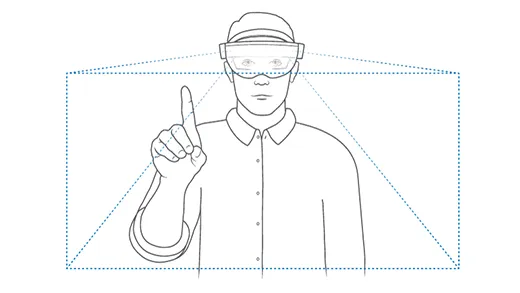
There’s also drag:

After you learn the basic actions, Hololens helps you calibrate the camera and screen to match your eyes as closely as possible. The calibration method is to close one eye while fingers appear one after another at different positions on the screen; you place your index finger in the air at the matching position. The process is simple, but after calibration there was no obvious difference.
OK, foreplay over—next comes the moment to witness a miracle!
Well, no miracle. The miracle’s monthly visitor has arrived. To use Hololens, you have to enter your home WiFi password. And voice apparently doesn’t work for this!!! So you have to laboriously move your head, stare at one letter at a time on a floating ‘keyboard’ in the air, extend your middle finger—oh no, index finger—and poke at the air, then poke again, until you’ve entered the password correctly and can move on.
Don’t rush to wipe the sweat from your forehead: next, MS actually asks you to enter your Microsoft ID into the Hololens! Entering the email is fine—at least those are common letters. But when entering the password, if yours happens to be one of those auto-generated strong passwords with uppercase, lowercase, numbers, and symbols mixed in, you’ll feel like you’ve been screwed by fate! I won’t tell you that I spent a full five minutes entering my password! My neck was sore, and my wife and kid watched me half-squatting in a horse stance, one palm extended, like a constipated man practicing the Yiyang Finger, and laughed for a full half hour! I feel like I’ll never be able to hold my head up again! I suggest that anyone who gets a Hololens should not start using it right away, but first change your Microsoft ID password to a combination simpler than your bank card PIN—otherwise you’re in for it! I don’t know what Microsoft was thinking with this interaction. After being thrashed by Jobs’s iPhone for nearly ten years, how can they still sit rock-solid, immersed in desktop thinking and stubbornly unrepentant? There are so many ways to handle passwords on phones—couldn’t they do something clever? Learn from WeChat scanning a QR code on a computer, okay? I really don’t want to change my password to one that any hacker can crack with a rainbow table, okay?
Once you’ve coughed up blood and logged in successfully, congratulations—you’ve already cleared 90% of the obstacles. But don’t rush to celebrate; what awaits you isn’t a wonderful first intimate encounter, but a long system update. This is another utterly speechless design decision. It’s as if, after untold hardships, you’ve finally picked out Qiuxiang and carried the beauty home; just as you’re getting lovey-dovey, Qiuxiang suddenly says: ‘Darling, give me half an hour to pick my nose and take off my makeup, okay~’
Even the most loyal Saint of Athena couldn’t endure such teasing and torment!
Yes, I know this is a developer edition. As a mentally sound and strong developer, our purpose in existence is to change the world. So these anti-human settings from MS are all part of the playbook: they make us see, as far as the eye can see, all the crap in the system that can be changed!
Note that up to this point, my dissatisfaction with Hololens has been limited to its terrible software and inexplicably complex interactions. Whether Hololens itself is good or not, I still can’t judge rationally!
The system update took quite a while, and finally it entered the main interface. For reasons everyone knows, Hololens uses Windows 10, the operating system that tries to unify Microsoft’s own world. Microsoft people are far too fond of having one system rule everything. Let me tell you a joke: the first major move Kevin Johnson, then head of Microsoft’s Office division, made when he came to Juniper as CEO was to abolish the various internal OSes and launch the One Junos movement—security products would share one system with router products. And then? There was no then. By spending every day on system integration—cutting the foot to fit the shoe—Juniper Security lost years of development opportunities, lost customers’ affection, and could only watch younger brother Palo Alto Networks grow up step by step, powerless to do anything. Fortunately, Microsoft is not God, and Microsoft’s various VPs haven’t infiltrated every industry; otherwise the world would have only one gender, one skin color, one race, and people would wear clothes of the same color and style. How terrifying that would be~
Back to the point. The female voice in my ear tells me: Hololens can use any app that complies with Windows 10, including Edge. After initialization, to show off its ‘power’ in being compatible with Windows 10 apps, the system very thoughtfully opens the Edge browser for me to try. I excitedly knock on my head to make sure this isn’t a dream: what I want is AR, not a browser floating in the air! Even if I want to browse websites, it absolutely would not be in this form! This experience! If I visit zhihu.com, you still make me use my titanium-alloy dog eyes that can blind everything combined with my raised middle finger to poke out the URL one letter at a time? Or make me shout from the bottom of my throat: ‘Grant me power, I want to go to z-h-i-h-u-dot-com’?
Is it torturous? Is it torturous? I’m telling you, it’s torturous to death!
I feel like Hololens has been dealt a truly excellent hand, only to have it completely ruined by the twenty minutes of experience since unboxing! How to describe this feeling? It’s like a distinguished PhD in graphics being determined to lower himself to compete with a dishwashing worker at a restaurant, and even trying to prove he washes dishes better than the other guy—I can do it, I’m up for it!
Close the useless Edge and bring up the main interface. Casually try the other preinstalled apps.
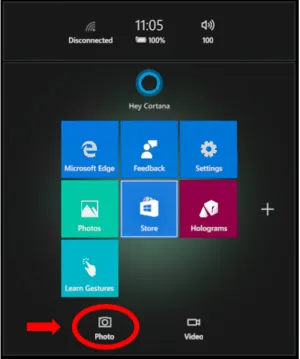
The only thing that has anything to do with Hololens is the experimental hologram feature, which lets you drag a special video or image into any corner of your home:
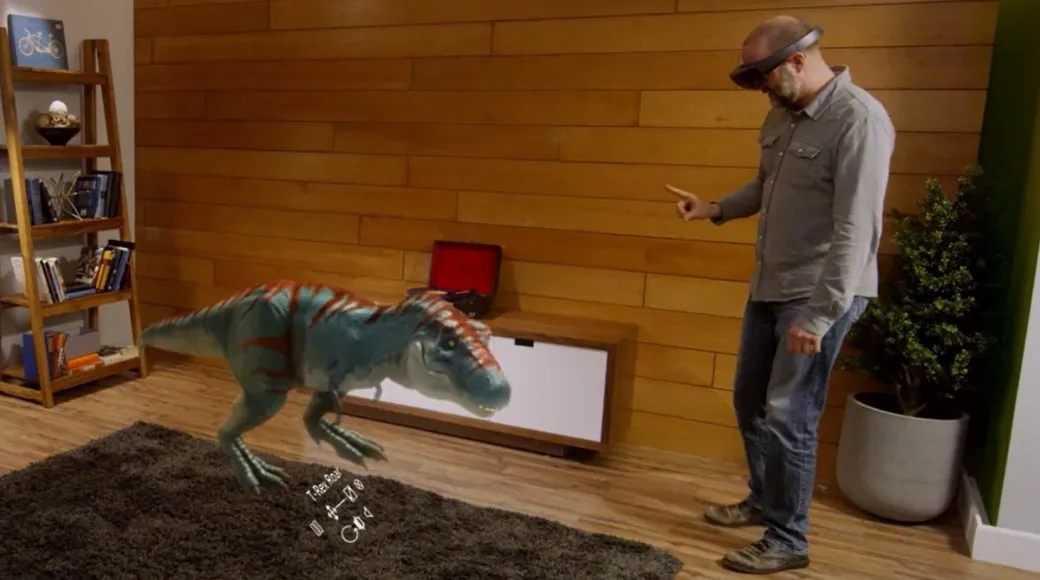
Beyond that, nothing stunning. After you’ve tried every preinstalled app once, your heart is as calm as still water, and you won’t cry or howl. So here’s the question: where do the apps in those insanely popular Hololens videos online come from? The answer is the Microsoft Store.
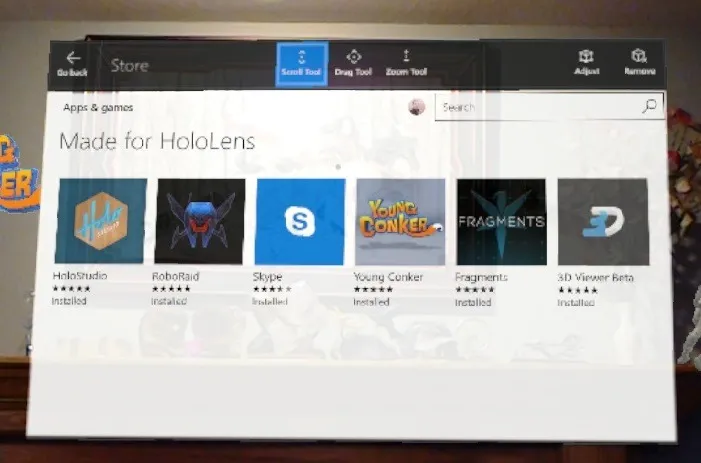
There are quite a few apps in the Store, but not many Hololens-specific ones—about ten or so—so you can install them all in one go.
I don’t know what kind of mentality Microsoft was in when it shipped Hololens without preinstalling a few apps truly related to Hololens. Does MS think engineers, enthusiasts, or those willing to be the first to eat crabs can be casually messed with? Or does MS think that, compared with the half-baked hardware products on Kickstarter, Hololens has already done everything it can for the first batch of paying users?
Anyway, my love for AR lets me endure another long wait (some apps are a gigabyte or more) until RoboRaid—the game that made my mouth water when I saw it online—finishes installing:
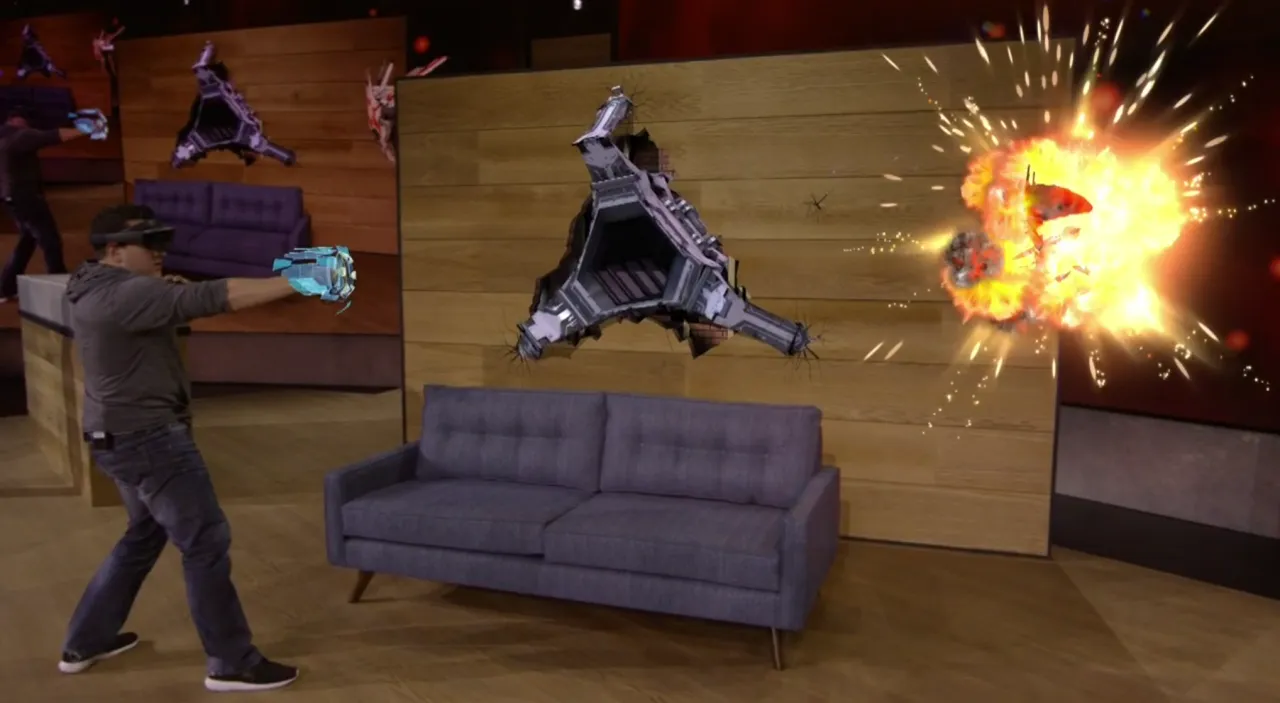
Open the game, and the opening animation is extremely stunning, with an IMAX 3D quality. This is the kind of AR that the masses love to see. Once the game starts, I’m immediately blown away; the immersive tension and excitement are something no previous game could immerse me in! There are many videos of this game online, so I won’t go into detail here.
Skype is another highlight of the first batch of Hololens releases.
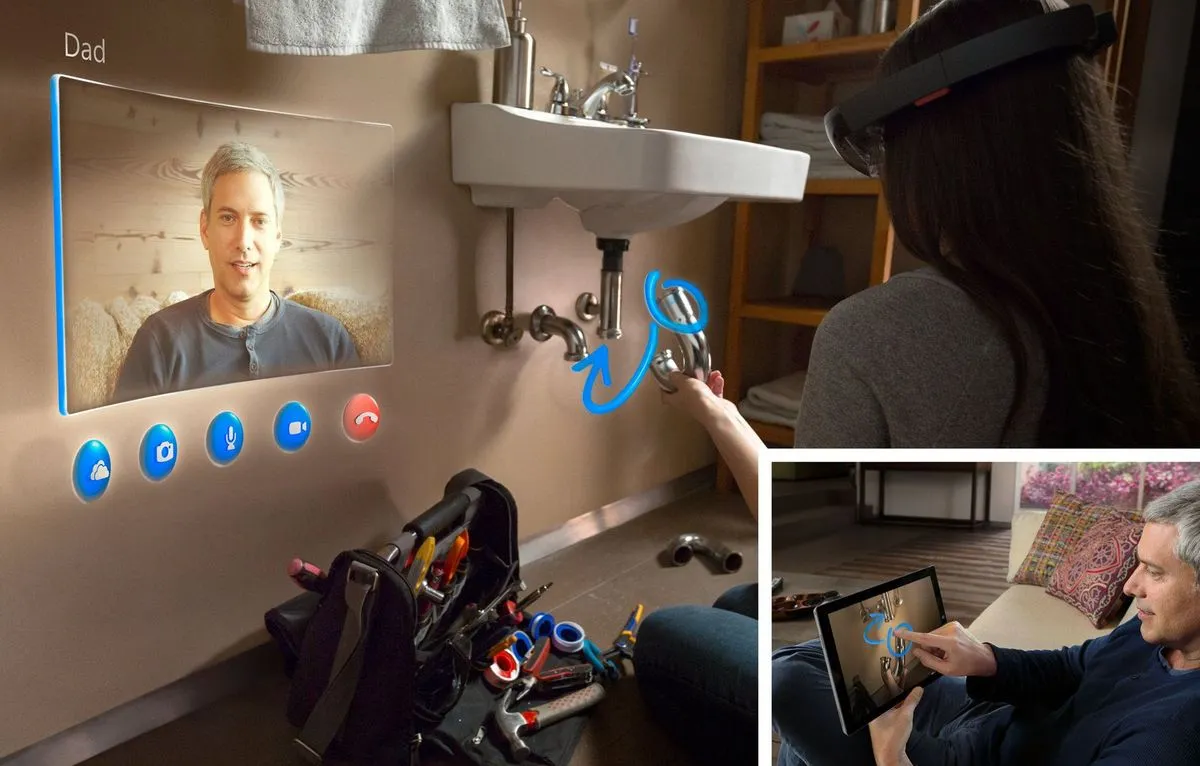
In Skype, you can draw in the air while video chatting, and the other person can see what you’ve drawn. My wife and I tried it—it’s very interesting—but in a usage scenario with one phone and one Hololens, it seems hard to use. I’m already looking forward to haofei’s Hololens arriving, so I can compare notes with him.
Next is another very, very cool game: Fragments.
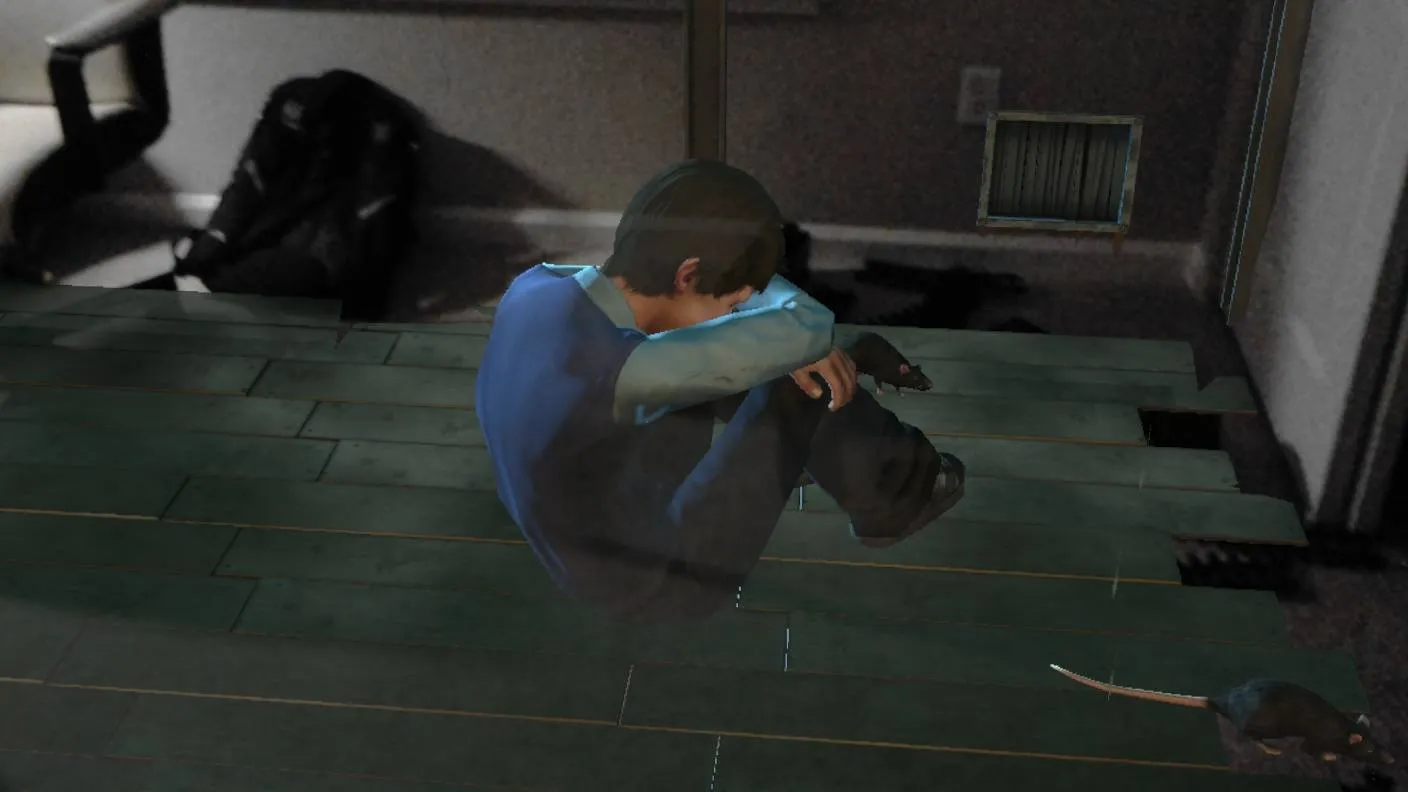
(This one I took; my backpack is on the floor.)
This is a mystery game. After the system scans your room, it enters a memory fragment and lets you see the real scene before the case happened. As your head turns, your bedroom is completely transformed into a crime scene: a child crying, mice squeaking, and a neurotic father firing bang-bang-bang at the mice. In short, you feel as if you’ve entered Dumbledore’s Pensieve, using someone else’s memories to find specific clues. I very much look forward to the day when users can record and save scenes from their own lives through Hololens (such as a relative’s birthday, a graduation ceremony, a child’s first swim), and later return to those scenes to feel the joys and sorrows of that specific occasion and time.
OK, that’s enough about my first-hand experience with Hololens; there are still a few games and apps, but I won’t go through them one by one. Next I’ll talk about where Hololens can shine, and where it falls short.
First, games. RoboRaid and Fragments are only the beginning. First-person shooters, RPGs, raising sims, competitive sports, casual games—there’s plenty of mouth-watering imaginative space. For example, a first-person shooter could be made into a violent version of Pokémon GO.
Second, communication. Since Star Wars became popular, Hololens is the product closest to the holographic video calls in it (don’t mention Magic Leap to me; if you haven’t experienced that thing yourself, it’s hard to believe). There are many ways to play with communication: besides video calls, there’s remote teaching, multi-person meetings, product demos, and so on. The action of sharing your screen in Skype could become sharing your view in Hololens; the other person can manipulate the three-dimensional content you see.
Third, all kinds of application software. I think the first batch of software will be tools that assist Hololens—for example, better ways to create holograms, better ways to create Hololens-specific software. After that comes the organization and visualization of internal information: using productivity tools to better organize and manage videos, photos, etc. inside Hololens. Further on comes the organization and visualization of external information: how to break away from the traditional concept of the screen and let files, pictures, and videos display better in a three-dimensional world. Finally comes the upgrading of traditional tools. For example, using productivity tools like AutoCAD, Photoshop, and After Effects in a three-dimensional world, like the scenes in Iron Man. Changes in application software will be revolutionary; it will, like the iPhone in 2007, permanently change the world’s understanding of user interfaces. Of course, this kind of change is also the most difficult. I’m very worried that a company like MS tying Hololens’s future to Windows 10 will limit people’s imagination for this unknown system. Imagine what would have happened if Jobs had forced the first-generation iPhone to run MacOS (OSX). Compatibility is a software company’s way of being responsible to users, but stubbornly clinging to compatibility in a brand-new field and a brand-new product will only kill the product’s imaginative space. Isn’t the pit MS dug for itself on Windows Phone big enough?
Then there’s film. Hololens itself can’t affect the film industry, but the entire VR/AR industry brings another possibility to film: a movie with a completely open perspective and ending, with a strong sense of participation. Every viewer is the protagonist and can unfold the plot according to the clues they care about. For example: a mystery film, such as a murder case in a small town; as the sheriff, you need to solve the case within a limited time (the film’s end time) through various clues. An open script that limits time and space like this might one day become a direction.
Finally, I have to mention adult products. Whether games or films, Hololens has infinite imaginative space. It’s said that several mainstream adult websites and game companies have already started developing Hololens-related products… 😓
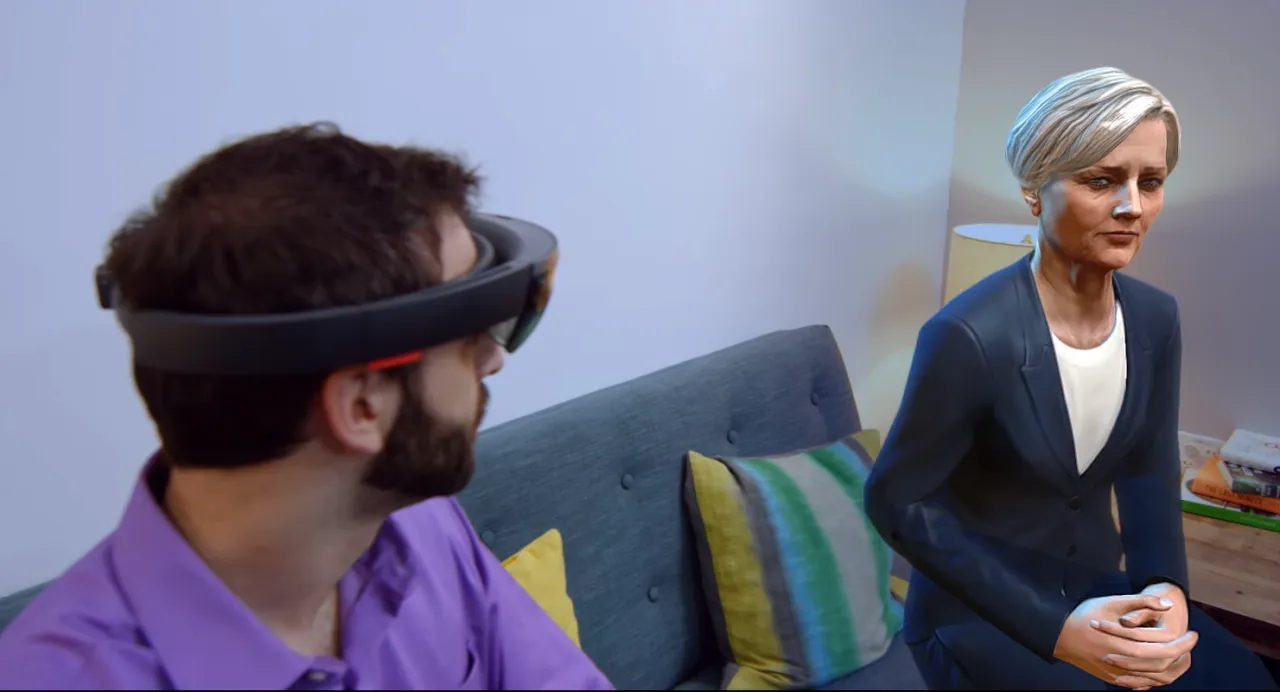
Oh, I forgot to mention our goddess Cortana. This goddess, with the same functions as Siri, might one day ‘stand’ beside you like in the picture below, helping you solve your problems?

Having talked about the imaginative space, let’s talk about Hololens’s shortcomings. If Hololens wants to enter every household as a consumer product, it needs to solve several problems:
-
Dizziness after wearing it for a long time. This is rather fatal. If staring at a computer screen for half an hour is unbearable, then it definitely can’t be used as universally as computers are today. After all, Hololens projects light to create a virtual scene and then ‘fools’ our eyes into thinking such a scene is in front of them. It’s not easy on the eyes; at least for someone nearsighted like me, this is a very serious problem.
-
The weight problem. Although Hololens isn’t heavy when held in your hand, after wearing it on your head for a long time, your skull will protest. In particular, Hololens’s main operations require turning your head; frequent turning makes the weight on your skull feel even heavier.
-
The screen color problem. Apart from game scenes, when I look at normal windows (such as Edge), I see rainbow-like iridescent colors. In the Hololens forums, quite a few people have encountered this problem too. Could it be because of wearing glasses?
-
Ease of onboarding. If the consumer version is still this sorry state, constantly asking you to enter passwords, and entering a password is more uncomfortable than constipation, then no matter how brilliant the product is, acceptance will be discounted.
As for price and such, I don’t think it’s a big problem. Of course, if it could drop to around $1,000, the same price as a mainstream TV, the audience would be much, much broader.
OK, that’s enough for today. Despite all its shortcomings, Hololens still basically meets my expectations. As for whether the $3,300 was worth it, once my Windows 10 laptop arrives, I’ll experience Hololens development, and then I’ll share further thoughts with everyone.
Continuing the recruiting pitch: we (adRise / Tubi TV) are aggressively hiring R&D engineers in Beijing, and the first round is almost full. Below is our video guru Gary, from Taiwan, the beautiful island, who spent a week and a half going from script to shooting to post-production, and finally settled on the first version of our recruiting video. Please click the video and see how it turned out? Do you understand adRise / Tubi TV a little more deeply now? Our team is genuinely full of hidden talent—need I mention that several of our members have worked in Hollywood? Maybe one day we’ll use Hololens to shoot recruiting videos!
If you’re not planning to leave your job soon, but are planning to in three to six months, please send your resume to the email address listed at the end of the video, and don’t miss the chance to possibly change the trajectory of your life (see the previous article:) Oh (PS: we will soon process B1/B2 visas for candidates who receive offers, so they can come to San Francisco and gather with the main team before long. Really looking forward to it~)